 Call for Line
Built for the way actors actually rehearse
Every feature an actor needs to memorize lines – from script import to scored results.
Call for Line is a line memorization app for stage and screen actors. Upload any script, choose your role, and rehearse with a scene partner that reads every other part aloud, listens to your lines, and shows you exactly where you went off book.
Import
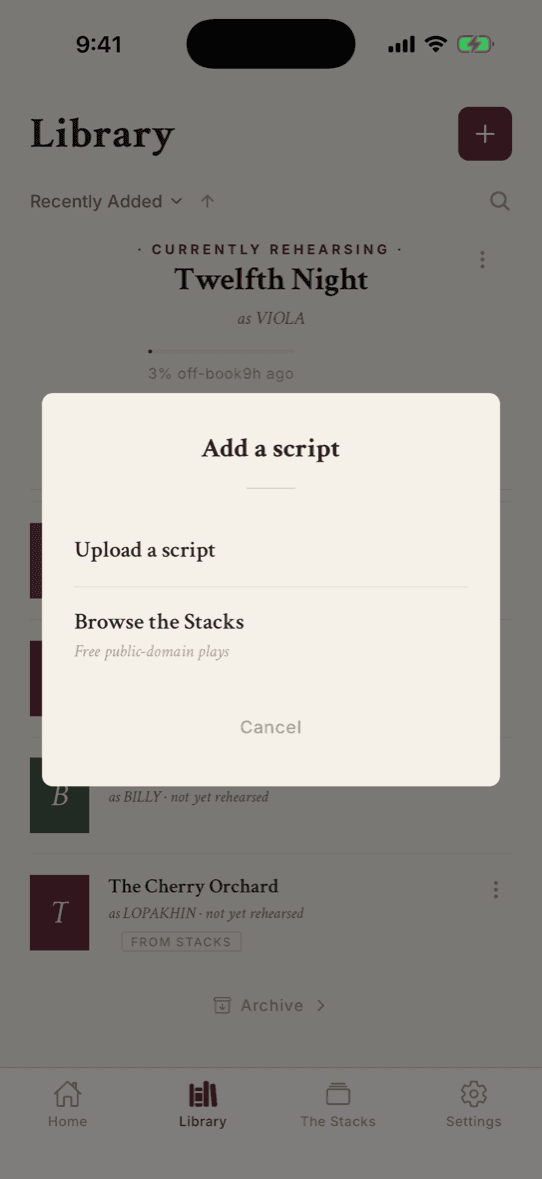
Any script, in a minute
Any script, stage or screen
Stage plays, screenplays, TV scripts, musicals, radio plays, audition sides. Drop in a PDF or plain text file and Call for Line detects the format, then parses it into scenes, characters, and lines.
Automatic character detection
The app identifies every speaking role in your script, including abbreviated names and compound speakers. Assign yourself to a character with a single tap.
Edit after import
Fix a misattributed line, correct a typo, or reassign dialogue to a different character. Every line is editable after parsing.
Scene fixing
Tell the app what went wrong with a scene split, in plain language, and it restructures the scene for you. Merge scenes, split them, or retitle them.
Rehearse
One tap from library to first line
Instant start
Every play button drops you straight into rehearsal with the settings you used last time. No setup screens between you and the work – adjust mid-launch if you want to change something.
Run Lines mode
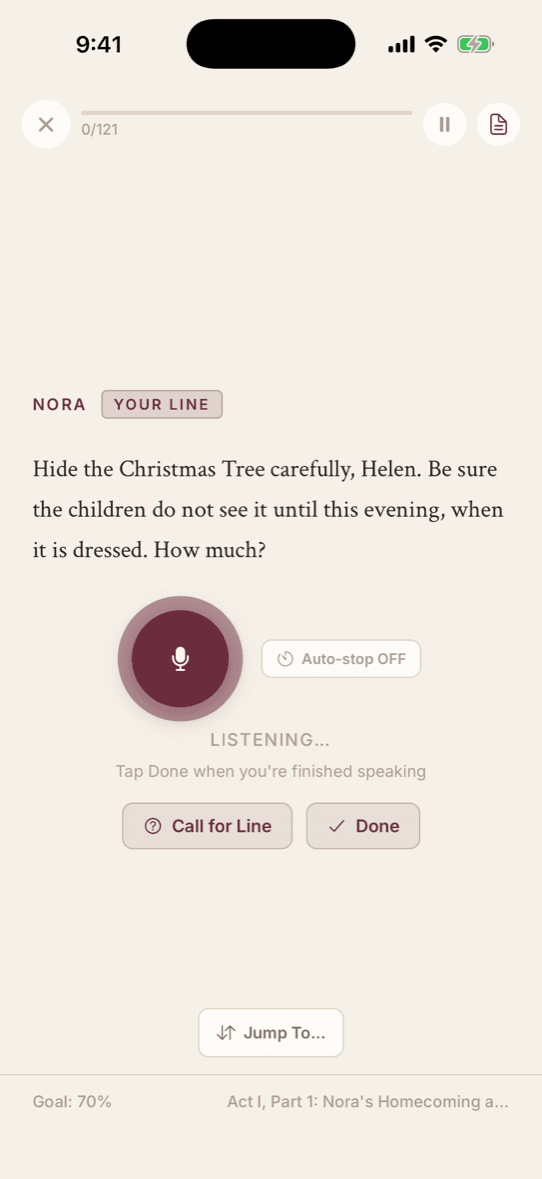
The full scene, live. Your scene partner reads every other part aloud in six distinct voices, and when it's your turn, the app listens.
Study mode
Review your cues and lines with a flashcard interface. Tap to flip between the cue line and your response. Never metered, works anywhere.
Call for Line
Stuck? The app feeds you a few context words to jog your memory. Configure how many words you see before and after the gap, from a gentle nudge to a generous hint.
Adaptive auto-stop
The app listens to your room, not a stopwatch. It learns your space's noise floor and knows the difference between a dramatic pause and a finished line – in a silent bedroom or a noisy cafe.
Speed and timing controls
Adjust how fast your scene partner reads (0.75x to 2.0x) and how long the app waits after you stop speaking (0.2s to 3.0s). Show or hide your lines during rehearsal.
Recorded Voices
Rehearse with the voice you'll hear on stage
Record line by line
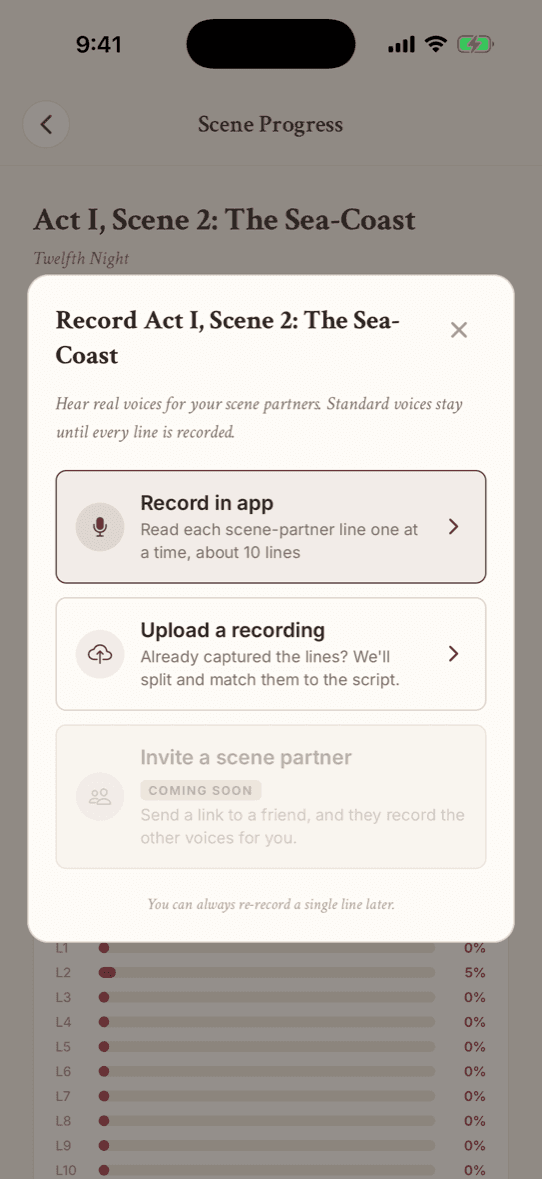
A record sheet lives right inside rehearsal. Capture your scene partner's actual delivery of any line, and from then on it plays instead of the built-in voice.
Studio mode
Sit your scene partner down once and batch-record every one of their lines in a scene. The session keeps your place, so you can stop and pick it up later.
Upload a recording
Already have a recording of the scene? Upload the audio file and the app aligns it to the script line by line, with a confidence review so you can check every match.
Auto-trim
The app trims each recording on its acoustic boundaries, with a waveform editor when you want to fine-tune the cut by hand.
Score
Know exactly where you stand
Word-level accuracy
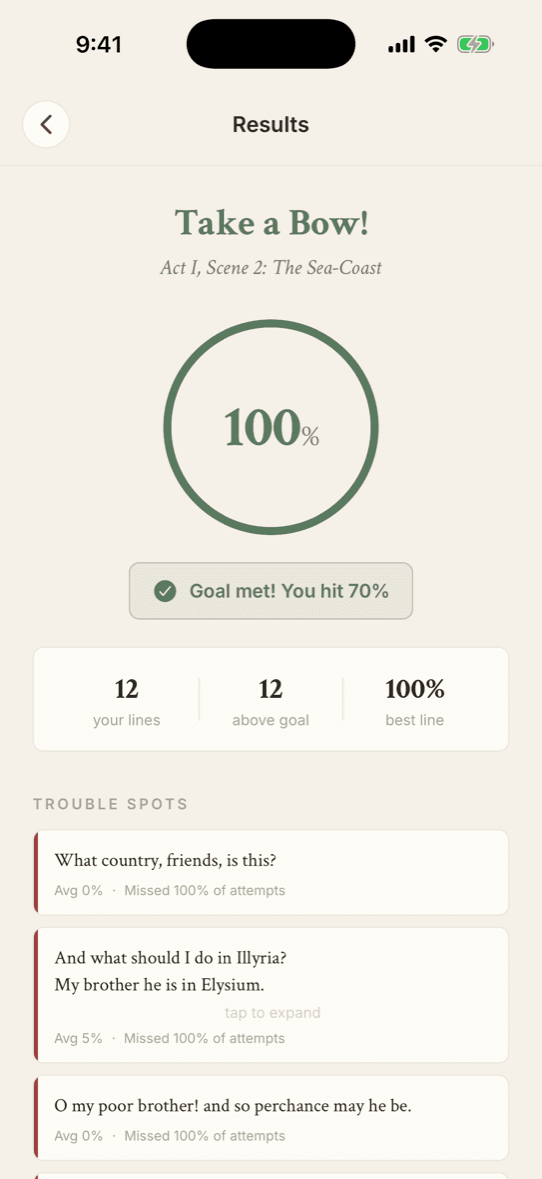
After each rehearsal, see how closely you matched the script. Call for Line compares what you said to the text word by word, so a near miss reads as a near miss.
Diff highlighting
The results screen shows your transcription alongside the script text, with differences marked in color. You see which words you missed, added, or changed.
Adjustable accuracy goals
Set your goal anywhere from 50% to 100%, in 5% steps. Lines that meet it are marked as passed. Lines below it are flagged for retry.
Word Perfect
The microphone heard 'weird' when you said 'wired'? One tap grants the line full credit. The score should measure your memory, not your microphone.
Retry failed lines
Don't re-run the whole scene. Retry only the lines you missed and watch your score climb.
Off Book tracking
A mastery score for every scene, weighted toward your recent runs. When your last three rehearsals hit your goal, the scene is marked Off Book. Streaks, score history, and trouble lines tell you what still needs work.
The Stacks
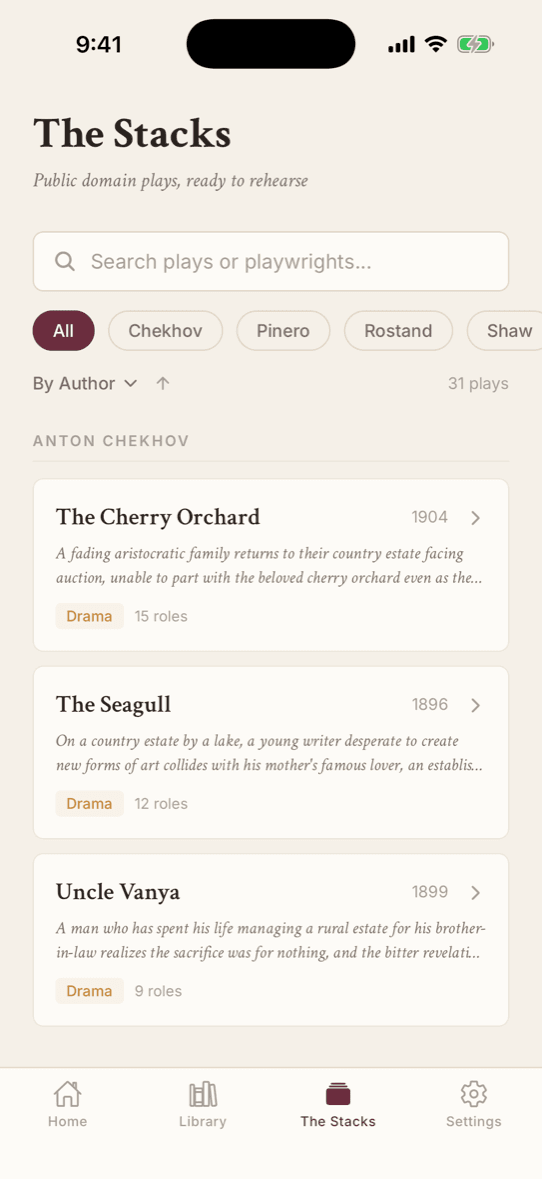
31 plays, ready to rehearse, free forever
Built-in repertoire
A curated library of 31 classic plays from 12 playwrights – Shakespeare, Chekhov, Wilde, Ibsen, Shaw, Moliere, and more. Every play is public domain, verified against canonical texts, and ready to rehearse.
Never counts against your imports
Plays from The Stacks are free on every plan, always. Pick one and start rehearsing in seconds – characters, scenes, and lines are already parsed.
Search and filter
Find plays by title, playwright, genre, era, or cast size. Comedies for audition prep, verse drama for class.
Ready to rehearse?
A real free plan every month. Launching soon on iPhone.
Comparing the field? Call for Line vs ColdRead · Call for Line vs Rehearsal · Best line memorization apps for actors